Description
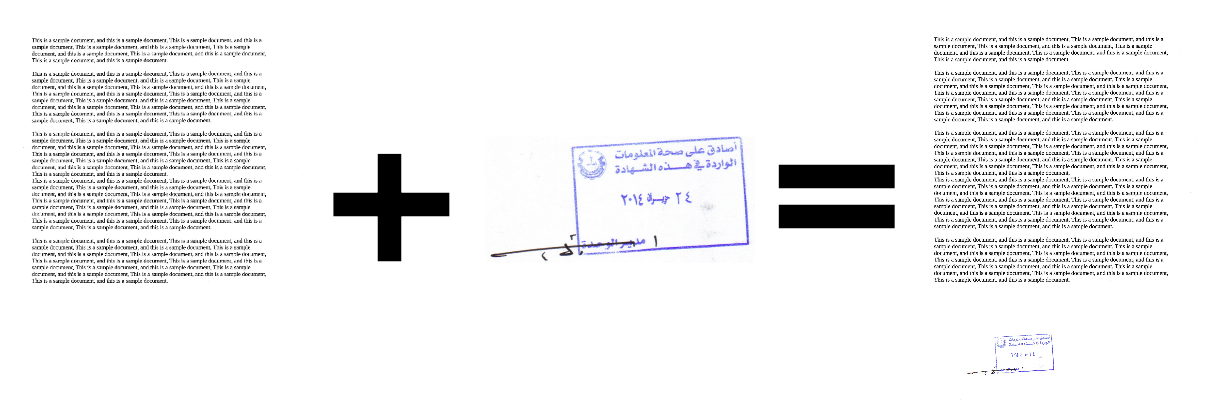
Auto Stamp is a desktop application that can be used to stamp all documents in a chosen folder, using a chosen stamp image.
Features
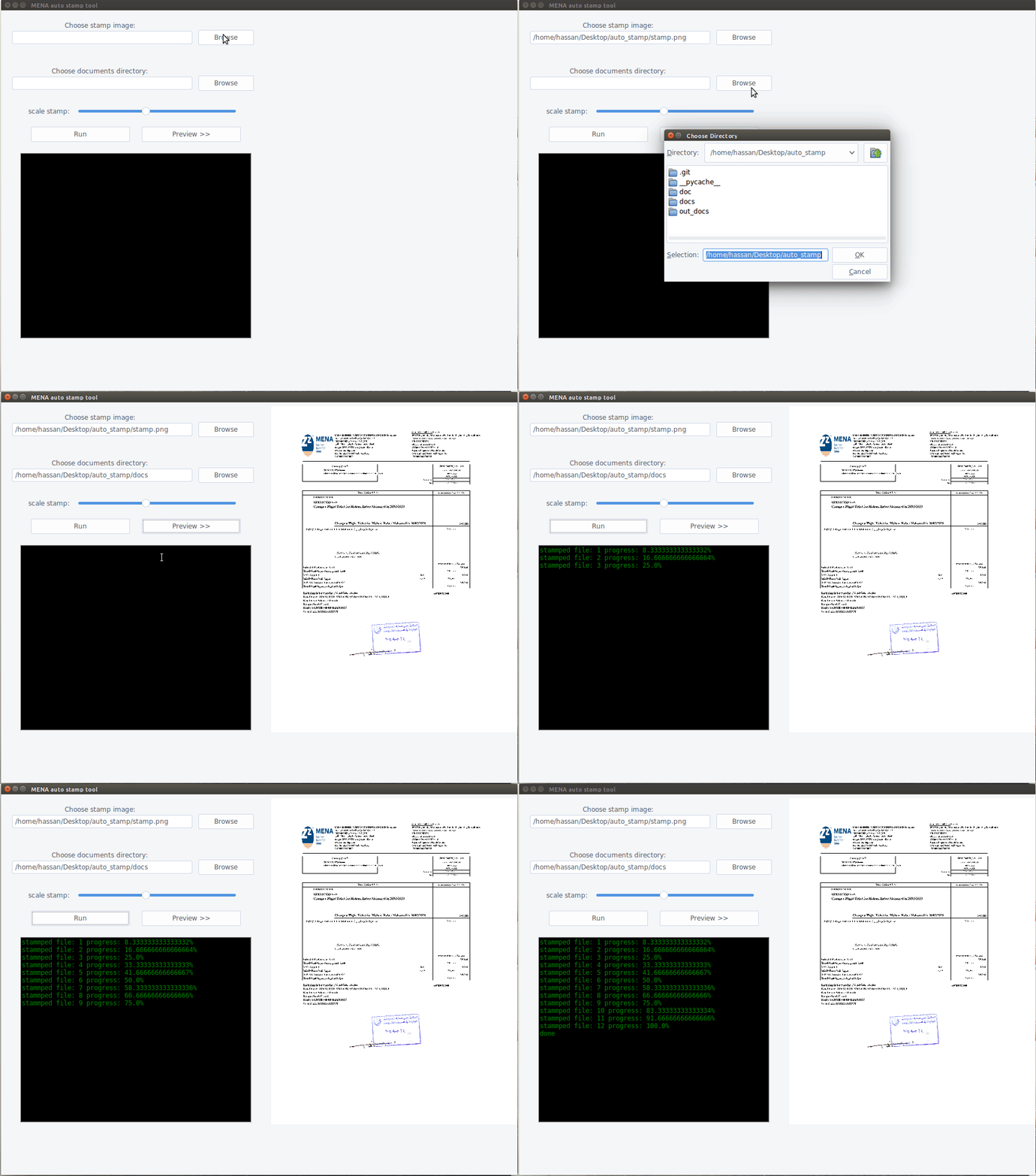
- a GUI which enables user to select the stamp image, the folder which contains the documents to be stamped.
- Stamp scaling.
- Auto placement of stamp, it finds a suitable place to put the stamp on.
- Preview panel to help user adjust the scale of the stamp.
- Supported document formats:
pdf,bmp,dib,jpeg,jpg,jpe,jp2,png,webp,pbm,pgm,ppm,pxm,pnm,pfm,sr,ras,tiff,tif,exr,hdr,pic.
How to use
This tool is useful when you have large number of documents you need to stamp:
- Place your documents inside a folder.
- Run the AutoStamp tool. You can scale the stamp, the preview button shows how the stamp will look like.
- Wait until all documents are stamped 😄
Installation
You can run the application from source, or download it as executable
From source
- Install requirements:
pip install -r requirements.txt- Run the app:
python gui.pyWindows
- Download the installer.
Ubuntu
-
Download the executable (binary) file. (tested on Ubuntu 16).
-
There is also a tarball file (tested on Ubuntu 20). You can uncompress, navigate into it, and run the app:
./AutoStamp